Step 2: How to Solve the First Layer Corners
Learn how to solve the white corners on a Rubik's Cube using the beginner method. Place all four first-layer corners correctly in just a few moves.
You've built the white cross -- now it's time to fill in the gaps. Placing the four white corner pieces completes the first layer and sets you up for everything that follows. This step looks tricky at first, but it comes down to one repeatable trigger that works every single time.
Hold the cube with white on the bottom for this entire step. The white cross you built in Step 1 should be facing the floor throughout.
What You're Trying to Do
Each white corner piece has three colors on it: white, plus two side colors. Your goal is to land each corner in the correct slot at the bottom layer, where white faces down and the two side colors match the center squares on either side.
There are four corners to place: front-right, front-left, back-right, and back-left. You tackle them one at a time, in any order you like.
How to Identify a Corner's Home Slot
Pick up any white corner from the top layer and look at its two non-white stickers. One sticker might be red, and the other orange -- which means that corner belongs in the slot between the red center and the orange center. The centers never move, so they're your reference points throughout the entire solve.
If you can't find a white corner in the top layer, check the bottom layer. Sometimes a corner is already down there but in the wrong position or twisted the wrong way. There's a fix for that covered later in this guide.
The Core Move: R' D' R D
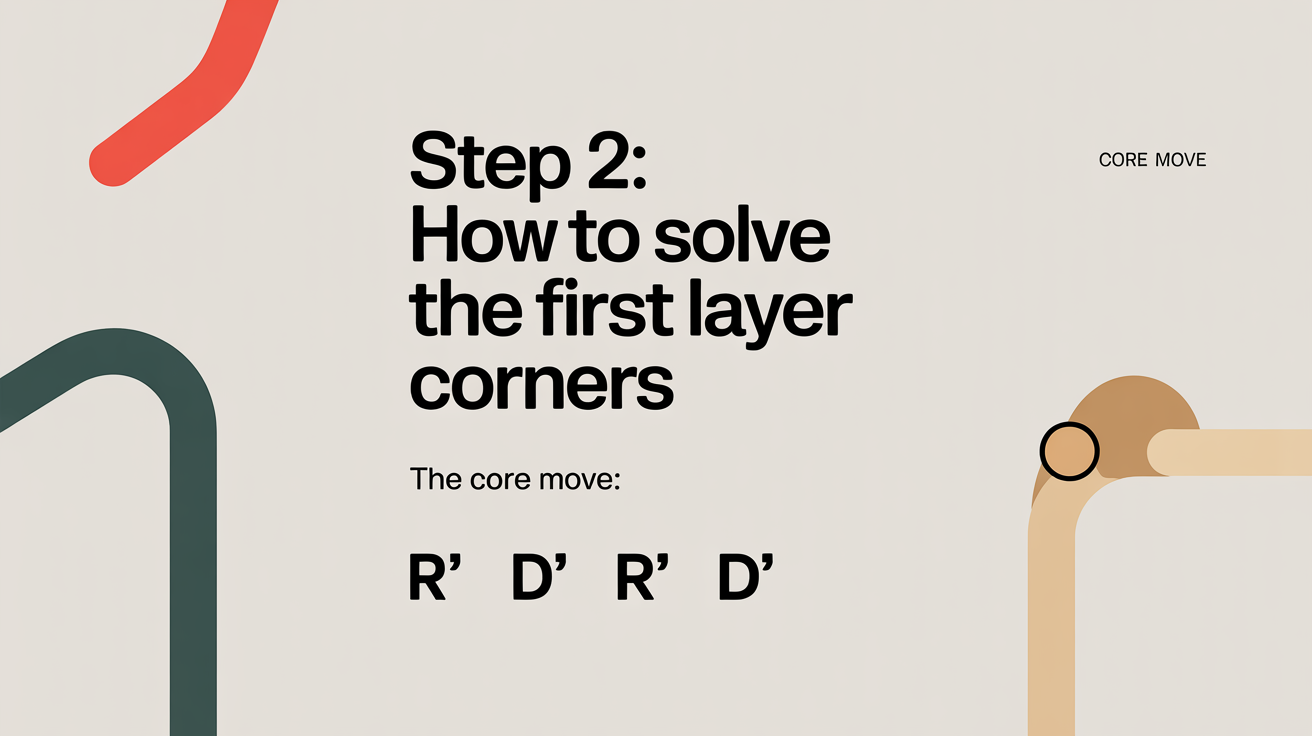
The beginner method relies on one trigger to slot corners in: R' D' R D. This sequence is sometimes called the "sexy move" in reverse, and you'll use it over and over -- not just here but in later steps too.
The notation assumes you're holding the cube so the target slot is at the front-right:
R'-- rotate the right face counterclockwiseD'-- rotate the bottom face counterclockwiseR-- rotate the right face clockwiseD-- rotate the bottom face clockwise
One execution of this sequence moves the corner slightly. You may need to repeat it two, three, or even five times before the corner drops in correctly oriented. That's completely normal -- just keep going until the bottom-right corner slot is filled with the right piece and all three colors match.
Why Repeating Works
Each time you run R' D' R D, the corner cycles through different orientations. After at most five repetitions, a corner in the right location above its slot will always land correctly. Beginners sometimes panic when the corner looks like it's going in wrong and bail out mid-sequence -- resist that urge. Trust the repetition.
Step-by-Step: How to Insert a Corner
Follow these steps for each of the four white corners:
- Locate a white corner in the top layer. Scan the top layer for any piece that has a white sticker on it. Don't worry about corners sitting in the bottom layer yet -- start with what's on top.
- Identify where it belongs. Look at the corner's two non-white colors. Note which two side centers those colors match. That intersection is the corner's home slot.
- Move the corner above its home slot. Use only U-layer moves (rotating the top face) to position the corner directly above the slot where it belongs. The corner should be sitting in the top layer, in the space between its two matching side centers.
- Hold the cube correctly. Rotate the entire cube -- not any layer -- so that target slot is at the front-right of the bottom layer. The corner you're inserting should now be in the top-right-front position of the top layer.
- Run
R' D' R Drepeatedly. Execute the trigger, check whether the corner landed correctly, and repeat if needed. Don't disrupt the rest of the first layer while doing this; the trigger is designed so that it only touches the right side and bottom layer temporarily. - Repeat for the remaining three corners. Once one corner is solved, rotate the whole cube to bring a new empty slot to the front-right and repeat from Step 1.
What If a White Corner Is Already in the Bottom Layer?
Sometimes you'll find a white corner piece sitting in the bottom layer but in the wrong slot, or twisted the wrong way. You can't insert it directly from there.
The fix is simple: hold the cube so the misplaced corner is at the front-right bottom, then run R' D' R D once. This pops the piece up into the top layer without disturbing the rest of your first layer (much). From there, treat it like any other top-layer corner and follow the normal insertion steps above.
Don't try to yank corners out with random moves. A targeted single trigger keeps the damage controlled.
Common Mistakes to Avoid
Accidentally Disturbing Solved Corners
If you're placing your second, third, or fourth corner and you break a corner that was already solved, it usually means the cube wasn't held correctly before running the trigger. Double-check that the target slot is front-right before you begin. Running R' D' R D in the wrong orientation can pull a solved piece out of place.
Skipping the Positioning Step
Some beginners try to run the trigger before positioning the corner above its home slot. This can technically still work, but it takes far longer and produces confusing results. Taking a moment to set up the corner -- using only top-layer turns -- makes each insertion clean and predictable.
Losing Track of Which Corner Goes Where
With four corners to place, it's easy to get confused about which piece belongs where. If you're unsure, pause and re-check: look at the corner's non-white stickers and trace them to their matching centers. Centers never move, so they're always the anchor.
Finishing the First Layer
Once all four corners are placed, flip the cube over to admire it. The white face should be complete and solid, and the first row of every side face should be a clean band of matching color. That's your fully solved first layer.
From here you move on to the middle layer edges, which introduces a new set of triggers. The good news is that the spatial thinking you've been building -- identifying pieces, positioning them, executing a trigger -- carries forward directly. This step is genuinely the hardest mental shift in the beginner method for a lot of people. If you've gotten through it, the rest of the solve feels more manageable.
For a broader look at how this fits into the full solve, see the layer-by-layer method overview.
FAQ
How many times do I have to repeat R' D' R D?
It depends on how the corner is oriented when it enters the slot. At most you'll repeat it five times. Usually it's two or three. If you've done it more than six times and nothing's changing, stop and check that the corner is positioned correctly above its home slot before the trigger.
What if I can't find any white corners in the top layer?
All four white corners might be somewhere in the bottom layer. Hold the cube with white on the bottom and look around the bottom rim for white stickers. For each misplaced bottom-layer corner, position it at front-right and run R' D' R D once to bring it up top. Then insert it normally.
Can I do this step in a different order?
Yes. There's no required order for solving the four corners. Some people prefer to work around the cube methodically -- front-right, back-right, back-left, front-left -- while others just grab whichever corner is convenient. The end result is the same.
My corner keeps going in twisted. Is something wrong with my cube?
No, a twisted result just means the corner needed more repetitions of the trigger before it settled into the correct orientation. Keep going. Five repetitions is the maximum for any starting orientation, so you won't be stuck forever. The piece will click into place.
Do I have to hold white on the bottom the whole time?
Yes, for this step. The trigger R' D' R D is built around white being on the bottom and the target slot being at front-right. If you flip the cube over or change orientation mid-solve, the move stops doing what you expect. Once you've placed all four corners and completed the first layer, you'll keep white on the bottom for the rest of the beginner method too.